Rig Mode
This page describes the Rig Mode: a dedicated working mode in Cascadeur used for creating and altering character rigs.
All works with rigs is performed in the Rig Mode.
To enable this mode:
Click the Rig mode button on the Toolbar:

Once the Rig Mode is activayed, you will see the Rigging Tools panel at the left side of the screen:
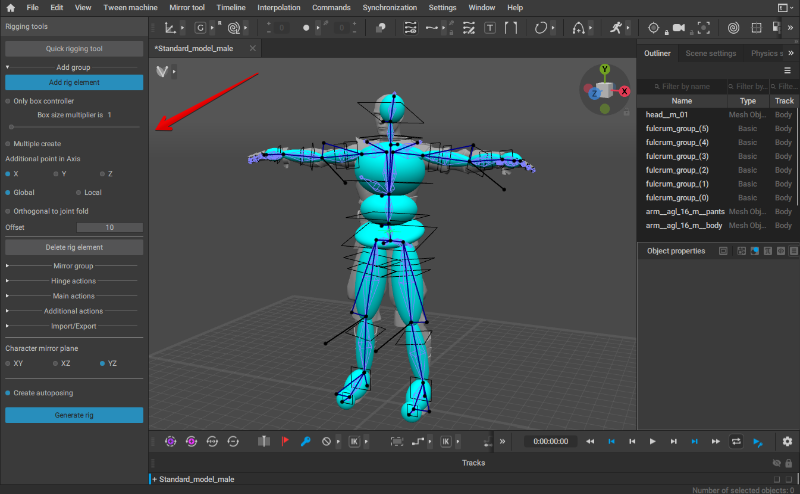
And if the character already has a rig, this rig will be visible in the Viewport.
To disable the mode, click this button again (or click Generate rig on the Rigging tools panel).
Keep in mind, though, that if the character already has a rig, closing Rig Mode will re-generate this rig.
Further Reading
See Quick Rigging Tool to learn about a simple and easy-to-use solution specifically designed to quickly create humanoid rigs.
See Basics of Rigging to learn about the process of creating rigs manually.
See Rigging Tools to learn about instruments the software provides for creating rigs.
And if you simply need to update rigs in an outdated scene, see Regeneratin Rigs in Scenes With Multiple Characters.